
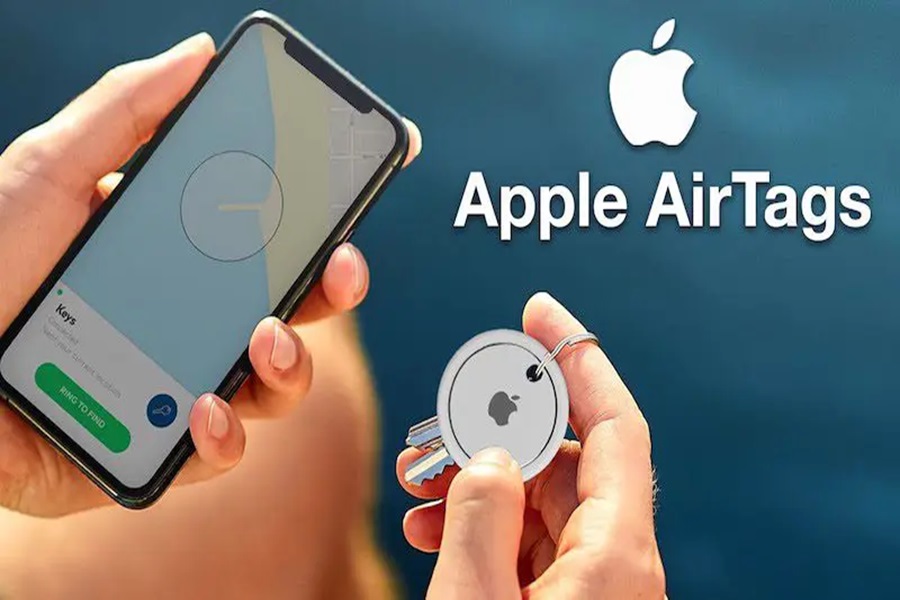
In the ever-evolving realm of technology, Apple AirTag has emerged as a game-changer. This diminutive yet powerful device has revolutionized the way we keep track of our belongings. Whether it’s your keys, wallet, or even your beloved pet, the Apple AirTag is designed to ensure you never lose sight of the things that matter most. In this comprehensive guide, we will delve into the intricacies of how to use Apple AirTag, from the initial setup to harnessing its GPS capabilities effectively.
Setting Up Your Apple AirTag
Before embarking on your journey with the AirTag, you must perform the setup ritual. Apple has streamlined this process, making it an effortless task even for the tech novices among us. To get started, ensure that your AirTag is powered up and within proximity of your Apple device. The device should be running iOS 14.5 or later. Here’s a step-by-step guide:
- Unbox the AirTag: Begin by unboxing your shiny new AirTag. You’ll notice its sleek and compact design, making it easy to attach to your belongings discreetly.
- Remove the Battery Tab: Inside the AirTag, there’s a small battery tab that prevents the battery from draining during storage. Remove this tab to activate the device.
- Proximity to Your Device: Bring the AirTag close to your Apple device. It should automatically detect the AirTag, and a setup prompt will appear on your screen.
- Follow On-screen Instructions: Follow the on-screen instructions to name your AirTag and assign it to an item or category (e.g., keys, wallet, backpack).
- Register with Your Apple ID: Ensure that your AirTag is registered under your Apple ID for tracking purposes.
Once these steps are complete, your AirTag is ready for action.
Tracking Your Belongings with Precision
Now that your AirTag is set up, let’s explore how to harness its GPS capabilities for effective tracking.
1. Locate Your Item with Precision
The Apple AirTag leverages a combination of Bluetooth technology and ultra-wideband (UWB) to pinpoint the exact location of your tagged item. Open the Find My app on your Apple device, and you’ll see a list of all your registered AirTags.
2. Play a Sound
Need to find your keys in a hurry? Select the AirTag you’re looking for, and tap the “Play Sound” option. Your AirTag will emit a loud, distinctive sound that will guide you straight to your item.
3. Use Precision Finding
For an even more accurate tracking experience, consider using the “Precision Finding” feature. This feature takes full advantage of UWB technology and provides precise directions to your AirTag. Follow the on-screen arrows and distance indicators to zero in on your item’s exact location.
4. Enable Lost Mode
If you’ve misplaced an item with your AirTag attached to it, don’t fret. Activate “Lost Mode” in the Find My app. This mode will notify you as soon as your AirTag is detected by another Apple device within the vicinity. Plus, you can leave a custom message for the finder, ensuring a smooth retrieval process.
5. Share Location
In scenarios where you’ve lent your item to someone, you can share the location of your AirTag with them temporarily. This feature comes in handy when you’ve loaned your bicycle to a friend or a book to a colleague. Just tap “Share My Location” in the Find My app, and select the contact you want to share the information with.
The GPS Powerhouse: AirTag
What sets the Apple AirTag apart from other tracking devices on the market is its utilization of the global positioning system (GPS). This feature enables you to track your belongings even when they are far from your immediate vicinity.
1. Location History
The AirTag keeps a record of your item’s movements over time, allowing you to review its location history. This can be invaluable when retracing your steps or tracking down a lost item’s last known whereabouts.
2. Notify When Found
One of the remarkable aspects of the Apple AirTag is its ability to notify you when it’s found by someone else. If another person’s Apple device detects your AirTag, they can tap it using their phone, and a notification will pop up on your device. This feature can facilitate the swift recovery of lost items.
3. Privacy and Security
Privacy and security are paramount when it comes to tracking devices, and Apple has not overlooked these concerns. The AirTag incorporates privacy features to protect your information and prevent any unwanted tracking. Furthermore, it adheres to strict security protocols, making it a reliable choice for safeguarding your belongings.
Conclusion
The Apple AirTag is a groundbreaking tracking device that redefines how we keep tabs on our possessions. From the seamless setup process to the precision tracking capabilities, the AirTag is a must-have for anyone prone to misplacing their belongings. With its utilization of GPS and advanced technologies like UWB, the AirTag offers unparalleled accuracy and convenience.
So, the next time you find yourself frantically searching for your keys or wallet, remember that the Apple AirTag has your back. With just a few taps on your Apple device, you can effortlessly locate your tagged items, thanks to this remarkable piece of technology. Say goodbye to the stress of losing your valuables and embrace the peace of mind that comes with using the Apple AirTag.


