
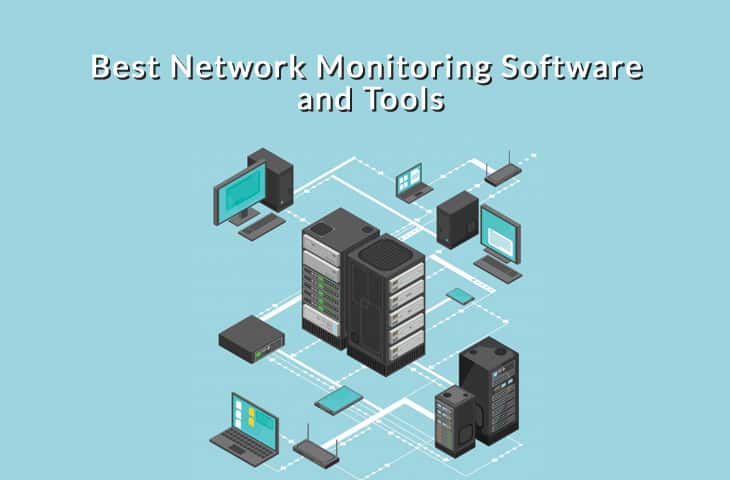
A network’s speed and strength are critical factors that determine the efficiency of your online activities. A slow and weak network can cause frustration and delays, especially when it comes to completing important tasks such as downloading large files or streaming video content. Network speed and strength are also crucial for businesses that rely on a reliable and efficient network to maintain productivity and customer satisfaction.
To ensure optimal network performance, it’s important to monitor network speed and strength with the right tools. There are various tools available for monitoring network performance, and each tool offers unique benefits that can help identify issues and patterns that impact network speed and strength. By regularly monitoring your network, you can detect and address issues before they become more significant problems, reducing downtime and ensuring that your network performs at its best.
II. Network Monitoring Tools
There are various tools available for monitoring network performance, each with its own unique features and benefits.
Here are some of the most commonly used network monitoring tools:
Simple Network Management Protocol (SNMP)
SNMP is a protocol used for managing and monitoring network devices, including routers, switches, and servers. SNMP allows you to collect data from network devices and view it in a centralized location, providing a quick and easy way to identify issues that may be impacting network speed and strength. Some of the benefits of SNMP include its scalability, flexibility, and ease of use.
Wireshark
Wireshark is a free and open-source network packet analyzer that can help identify issues in network traffic. Wireshark captures and analyzes network packets in real-time, allowing you to view and troubleshoot network issues. Some of the benefits of Wireshark include its ability to capture and display detailed network traffic, its support for various protocols, and its ease of use.
PRTG Network Monitor
PRTG Network Monitor is a comprehensive network monitoring tool that provides real-time data on network performance, including speed and strength, among other metrics. PRTG Network Monitor uses SNMP to monitor network devices and provides customizable alerts for any issues that may arise. Some of the benefits of PRTG Network Monitor include its ease of use, scalability, and customizable dashboards.
Nagios
Nagios is an open-source network monitoring tool that provides comprehensive monitoring of network devices and services. Nagios can be used to monitor various metrics, including network speed and strength, and can send customizable alerts when issues arise. Some of the benefits of Nagios include its scalability, flexibility, and customizable reporting.
SolarWinds Network Performance Monitor (NPM)
SolarWinds NPM is a comprehensive network monitoring tool that provides real-time data on network performance, including speed and strength, among other metrics. SolarWinds NPM uses SNMP to monitor network devices and provides customizable alerts for any issues that may arise. Some of the benefits of SolarWinds NPM include its ease of use, scalability, and customizable dashboards.
III. Monitoring Network Speed
Network speed is a critical factor in ensuring efficient online activities, such as browsing the web, streaming videos, or downloading large files. Here are some important considerations when it comes to monitoring network speed:
How to measure network speed
Network speed can be measured in terms of download and upload speeds, which are typically measured in megabits per second (Mbps) or gigabits per second (Gbps). To measure network speed, you can use various online tools such as Speedtest.net, which can provide a quick and easy way to test your network’s speed.
Factors that can affect network speed
Various factors can impact network speed, including network congestion, hardware issues, and software issues. Network congestion occurs when too many devices are using the same network, resulting in slower speeds for all devices. Hardware issues such as outdated equipment or damaged cables can also impact network speed. Additionally, software issues such as viruses or malware can slow down network performance.
Tools for monitoring network speed
There are various tools available for monitoring network speed, including network monitoring software such as PRTG Network Monitor and SolarWinds NPM. These tools can provide real-time data on network speed and can help identify issues that may be impacting network performance. Additionally, online tools such as Speedtest.net can be used to quickly test network speed.
In addition to these tools, it’s important to regularly monitor network usage and identify any devices or applications that may be using an excessive amount of bandwidth. This can help reduce network congestion and improve overall network speed.
IV. Best Practices for Monitoring Network Performance
Regularly monitoring network performance is essential for ensuring that your network is operating at its best and providing optimal speed and strength. Here are some best practices to help optimize network performance:
Regularly monitor network usage
Regularly monitoring network usage can help identify any devices or applications that may be using an excessive amount of bandwidth, leading to network congestion and slower speeds. By identifying these devices and applications, you can take steps to reduce network congestion and improve overall network performance.
Identify and resolve issues promptly
Identifying and resolving network issues promptly can help prevent issues from worsening and impacting network performance. Regularly monitoring network performance using tools such as SNMP, Wireshark, and PRTG Network Monitor can help identify issues and provide real-time data on network performance.
Implement network security measures
Implementing network security measures such as firewalls and antivirus software can help protect against cyber threats that can impact network performance. Additionally, regularly updating software and firmware can help prevent vulnerabilities and ensure optimal network performance.
Regularly update hardware and software
Regularly updating hardware and software can help ensure that your network is using the latest technology and features, leading to optimal performance. Additionally, updating firmware and drivers can help prevent compatibility issues and ensure that your network devices are operating at their best.
V. Conclusion
Monitoring network performance is crucial for ensuring optimal speed and strength. By using tools like SNMP, Wireshark, and PRTG Network Monitor and implementing best practices such as regularly monitoring network usage, identifying and resolving issues promptly, implementing network security measures, and regularly updating hardware and software, you can optimize your network’s performance. Keep these tips in mind to ensure efficient online activities and a seamless user experience. For Readers!


